Open subscription management
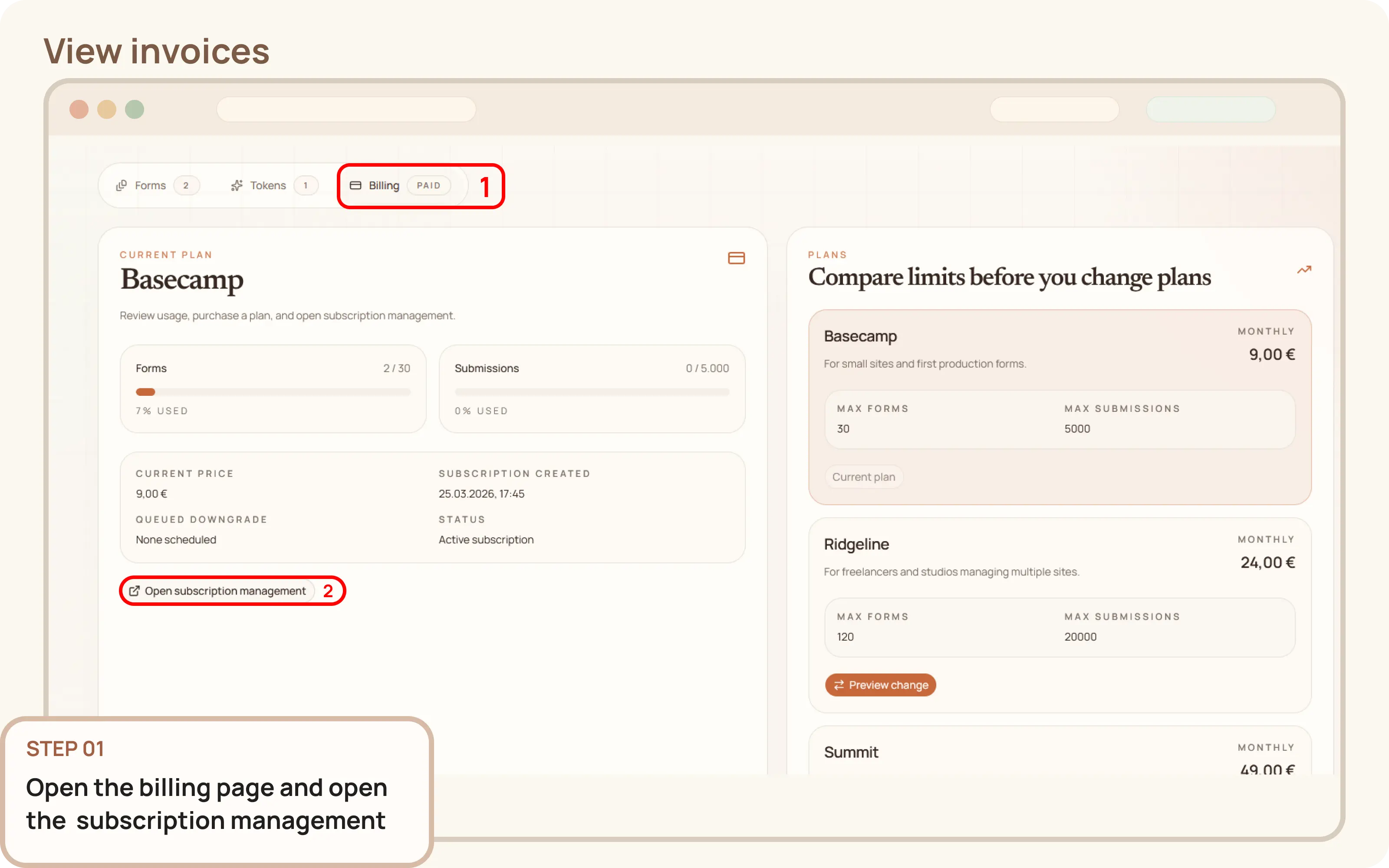
- Go to
Workspace > Billing. - Click
Open subscription managementto open the Paddle billing portal.

Documentation
Guides and public API reference
Documentation
This guide explains how to open the billing portal and access the invoice history of your account.
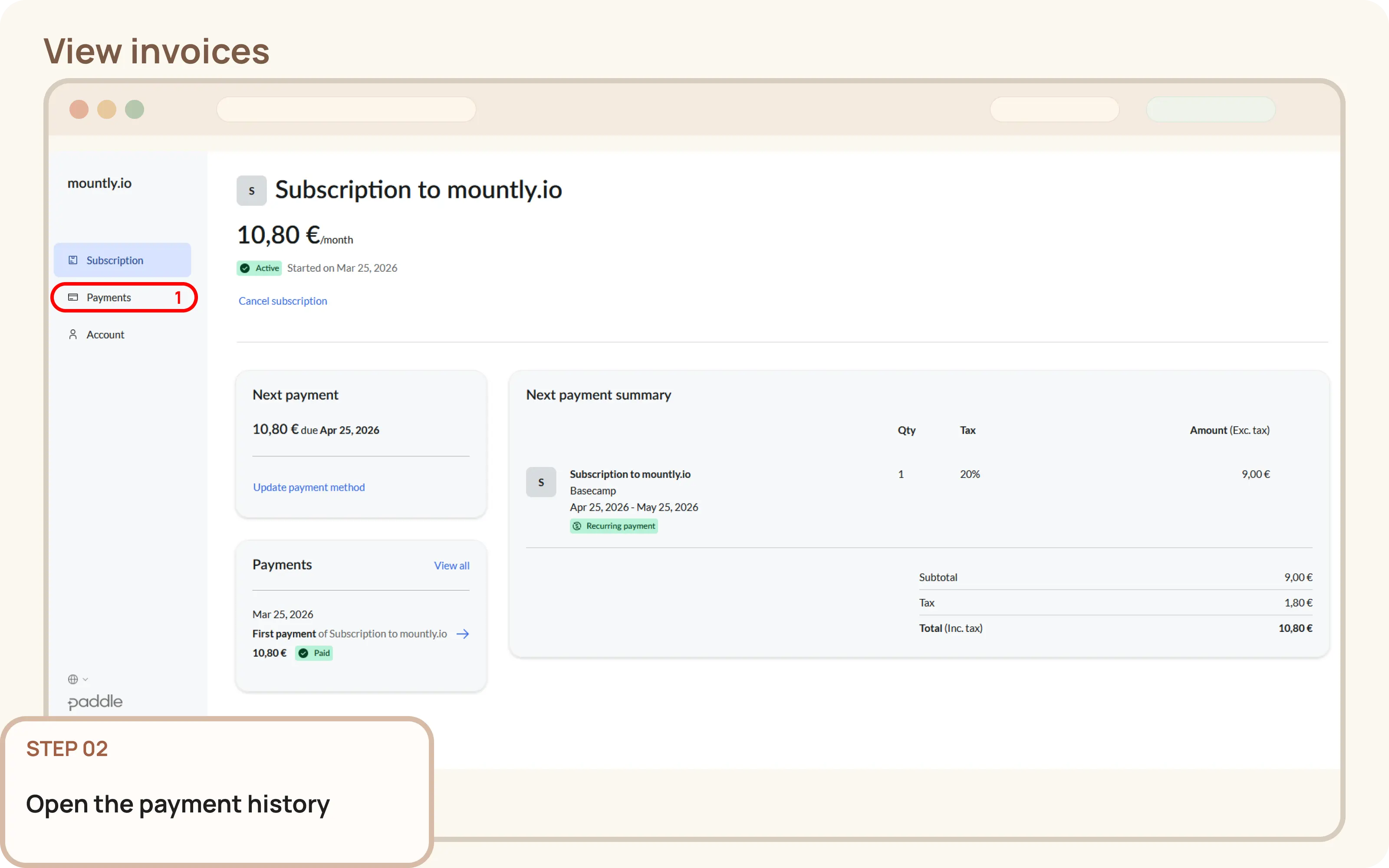
Workspace > Billing.Open subscription management to open the Paddle billing portal.Inside the billing portal, open the payment history.
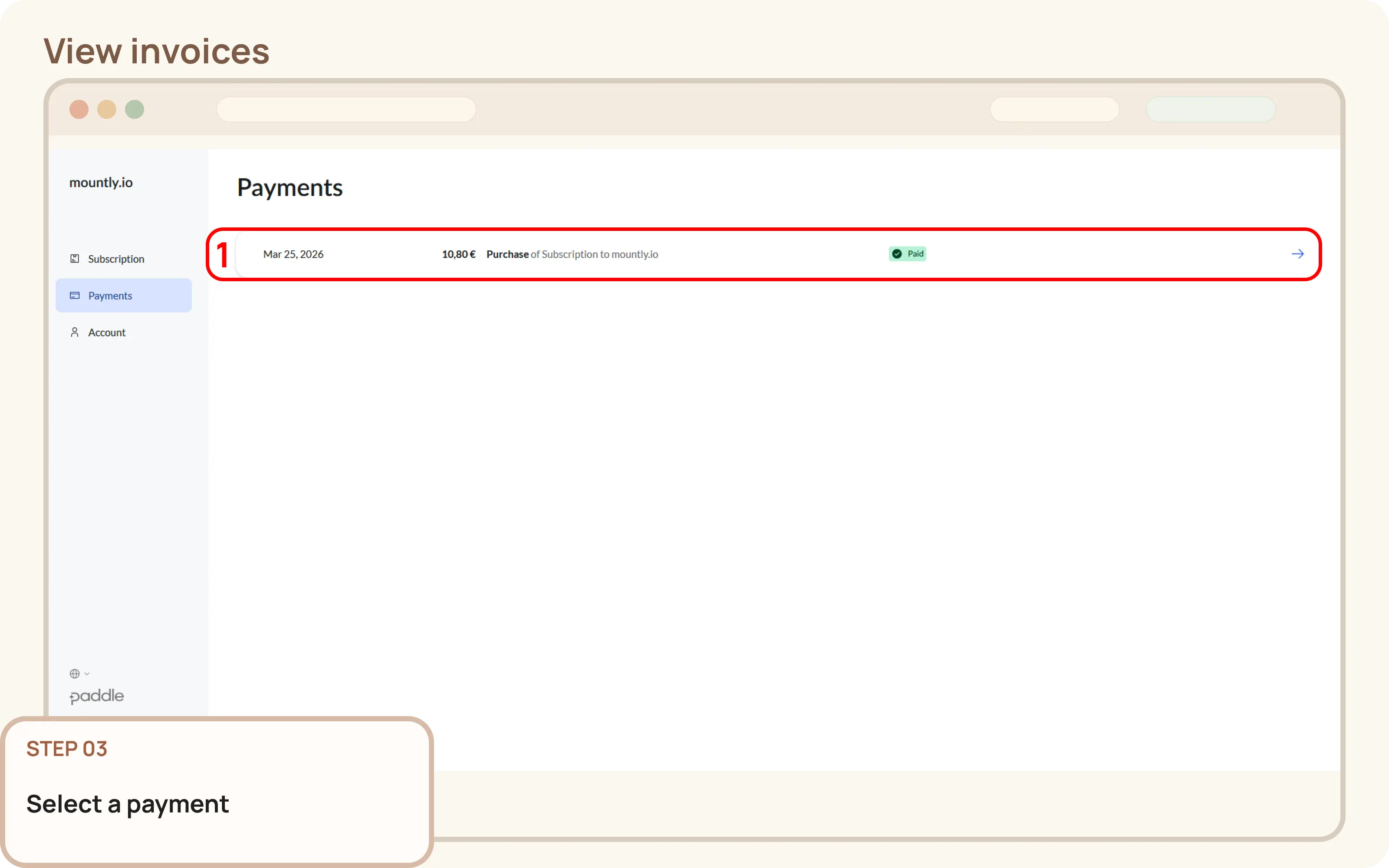
From the list of payments select one where you want to view the invoice from.
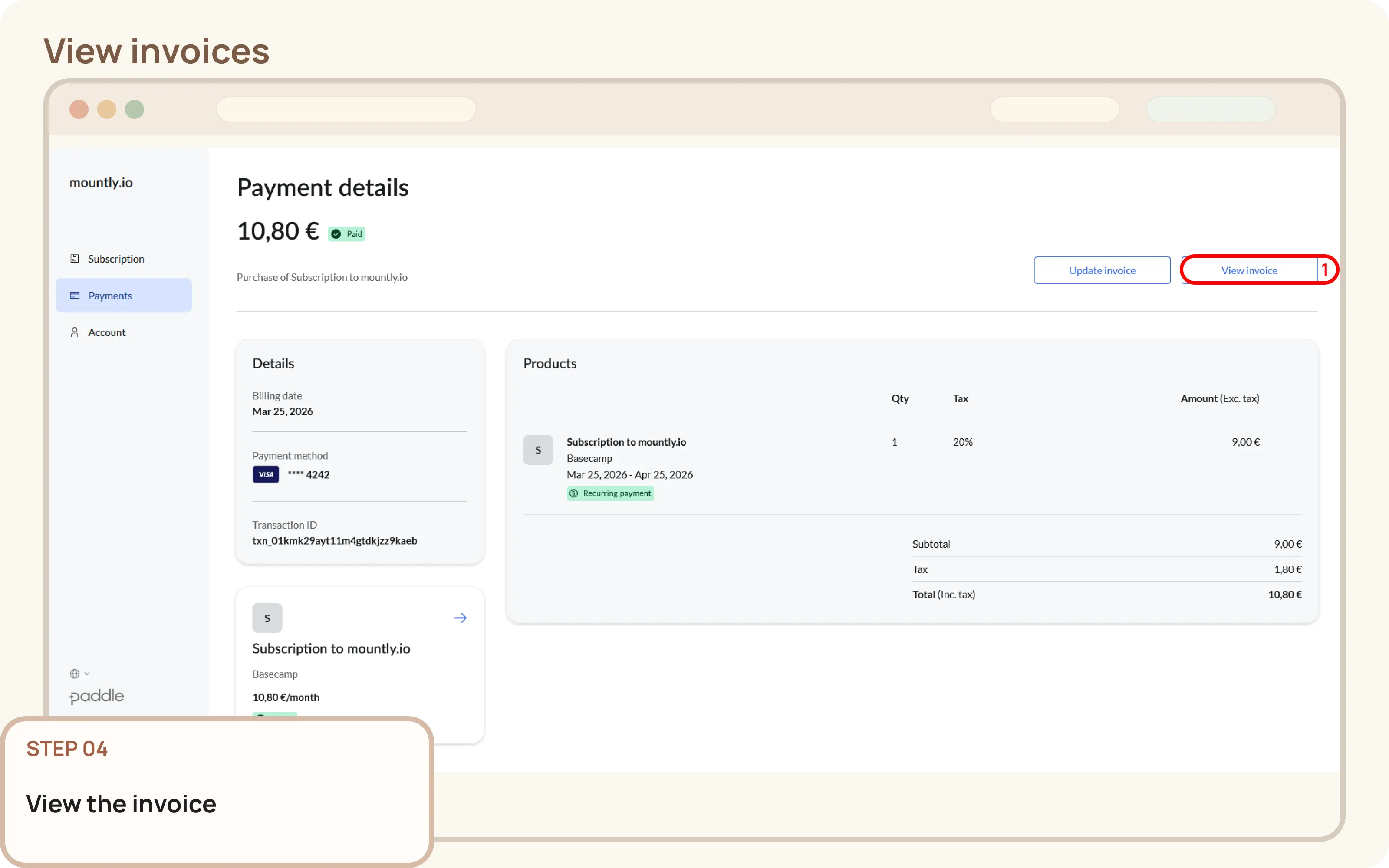
From the payment view, click View invoice to open the invoice PDF file.