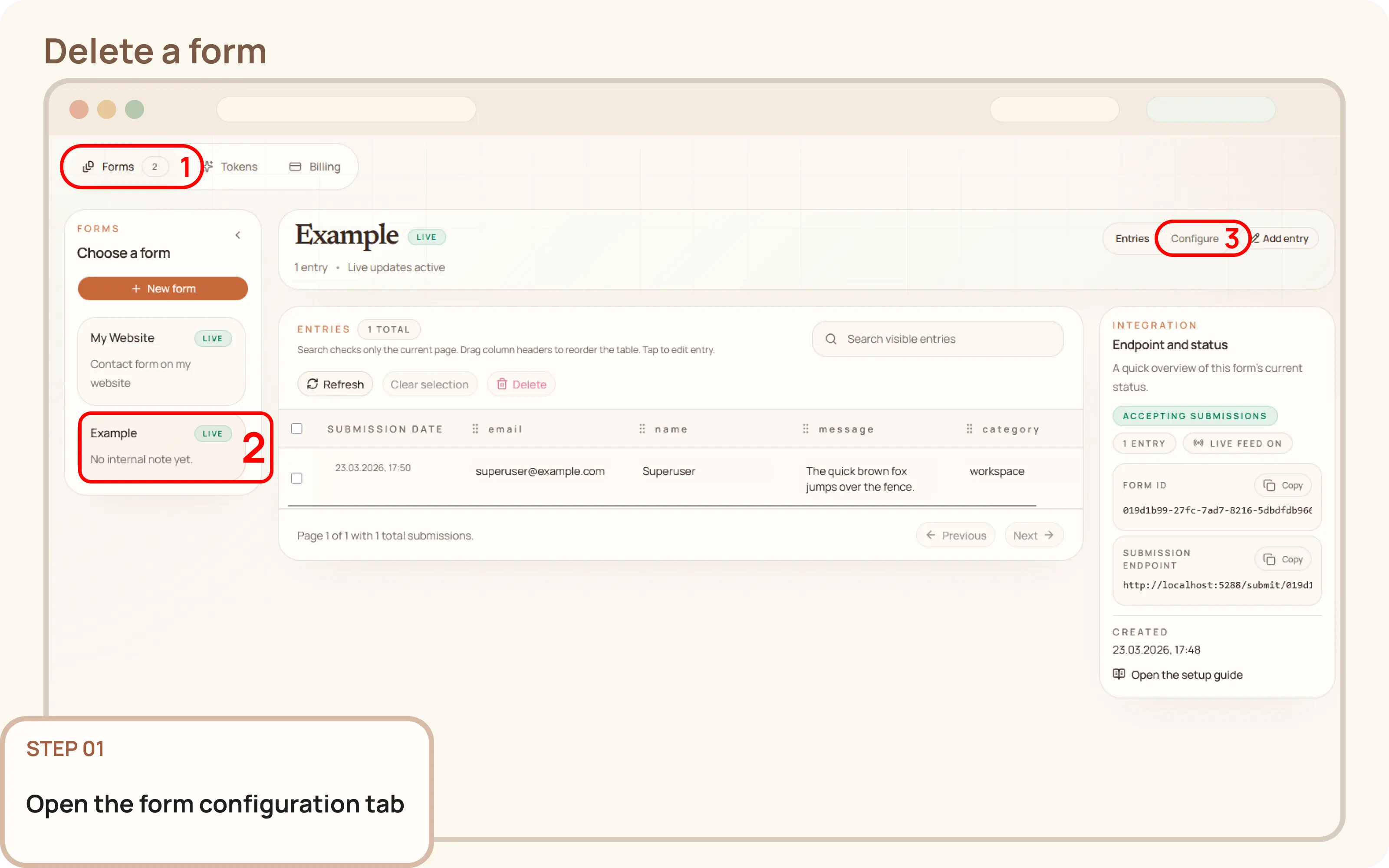
Open the form configuration tab
- Go to
Workspace > Formsand select the form you wish to delete. - Switch from the
Entriestab to theConfiguretab to open the form's configuration panel.

Documentation
Guides and public API reference
Documentation
This guide explains how to permanently delete a form and all of its associated submissions from your workspace.
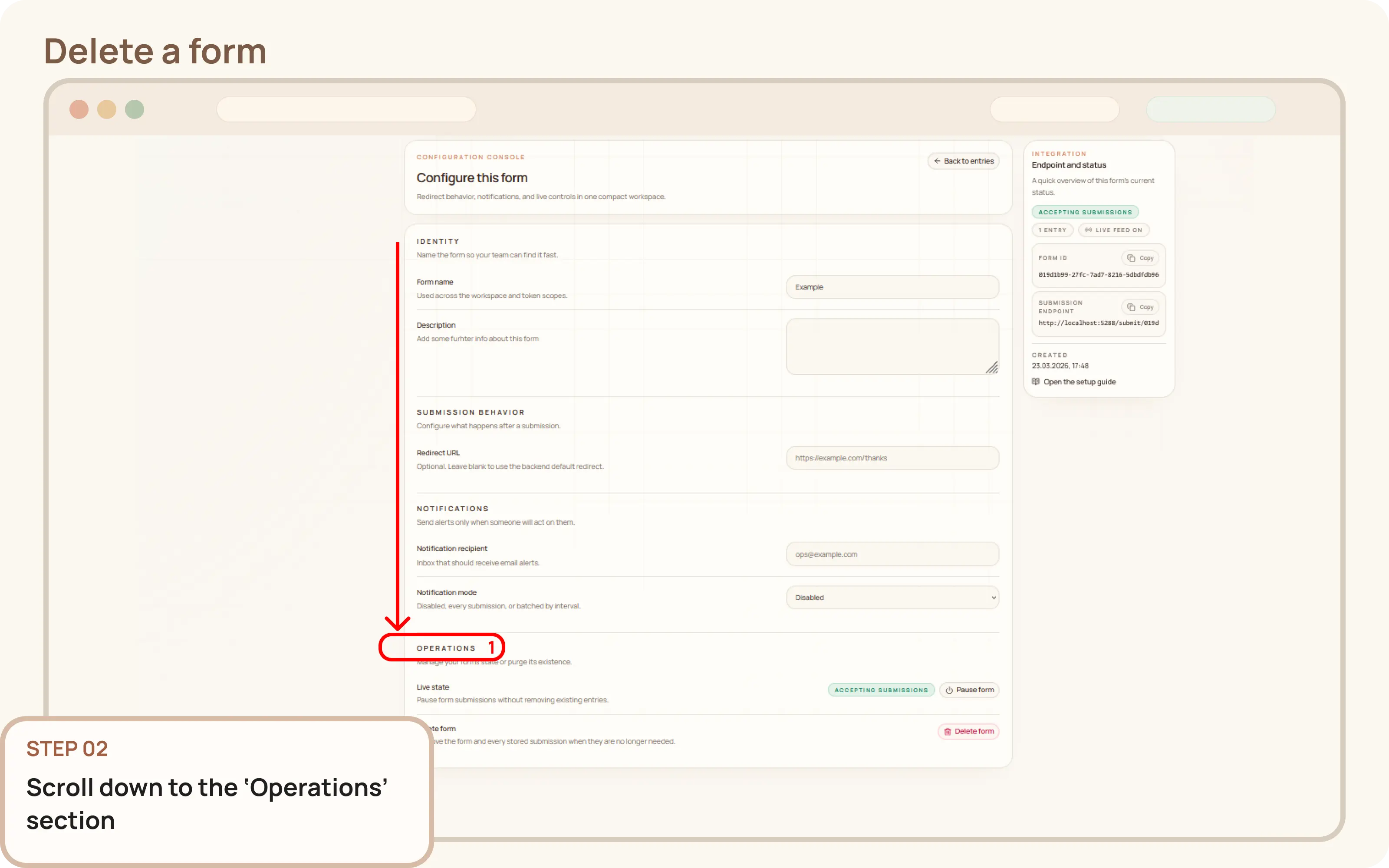
Workspace > Forms and select the form you wish to delete.Entries tab to the Configure tab to open the form's configuration panel.You must scroll down to the bottom of the page to find the Operations section.
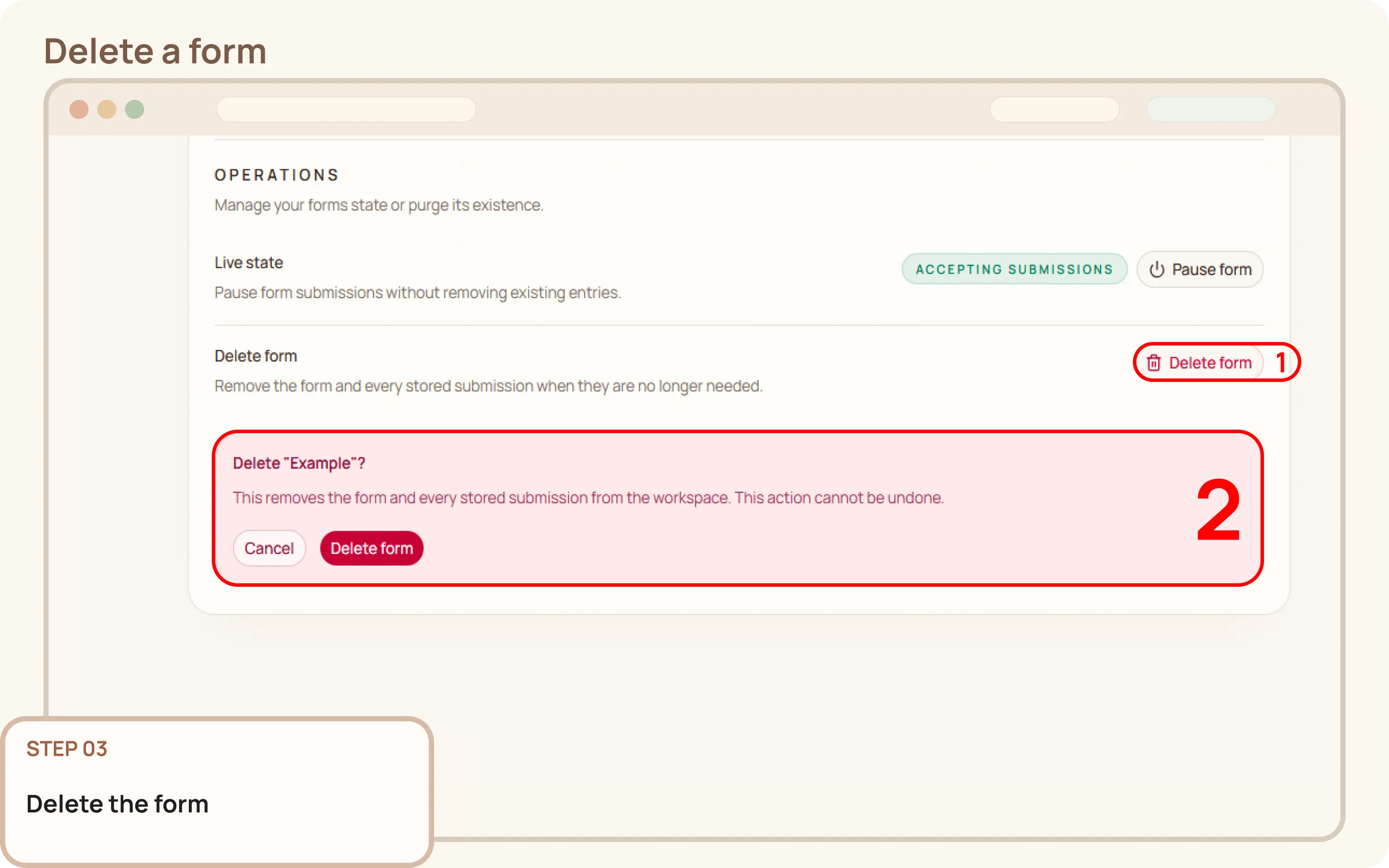
Operations section, find and click the Delete form button.Once the deletion is complete, the form will no longer appear in your workspace.