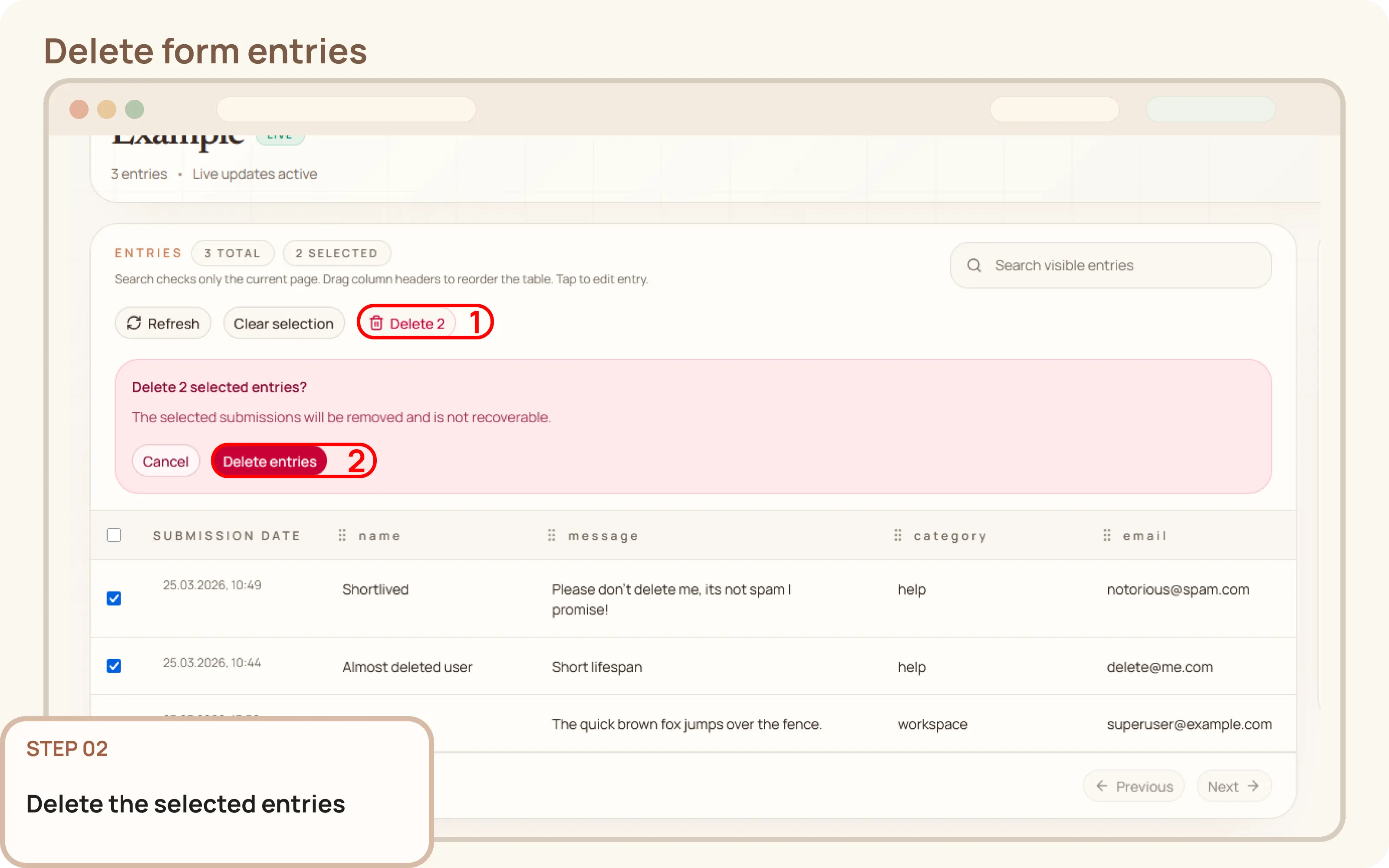
Select entries to delete
- From the entries grid, select the checkboxes for the rows you want to remove.

Documentation
Guides and public API reference
Documentation
This guide explains how to delete form entries from the Mountly dashboard. This action should be taken when stored submissions are no longer needed and should be permanently removed.
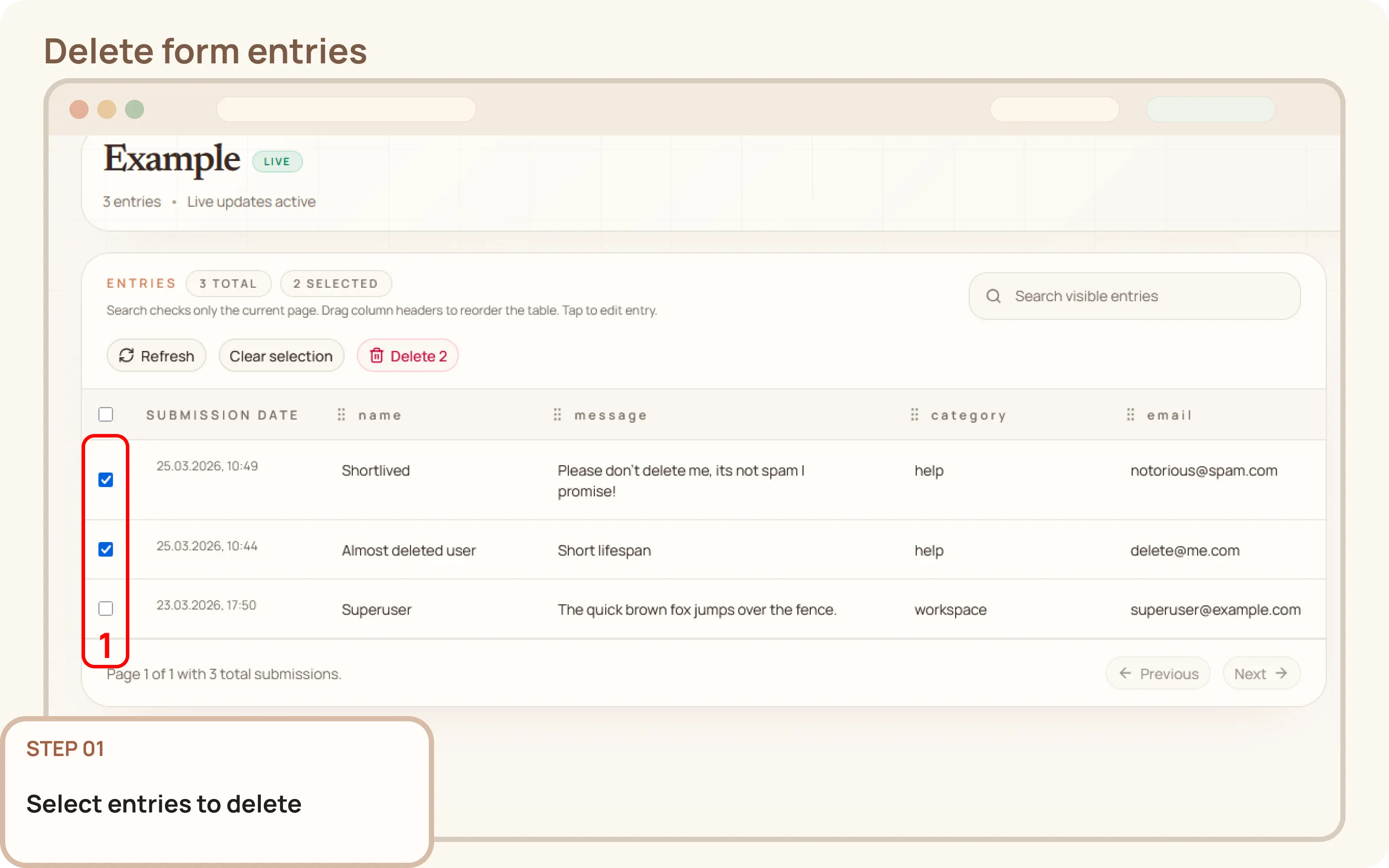
Delete button that appears above the table.