Choose a lower tier plan
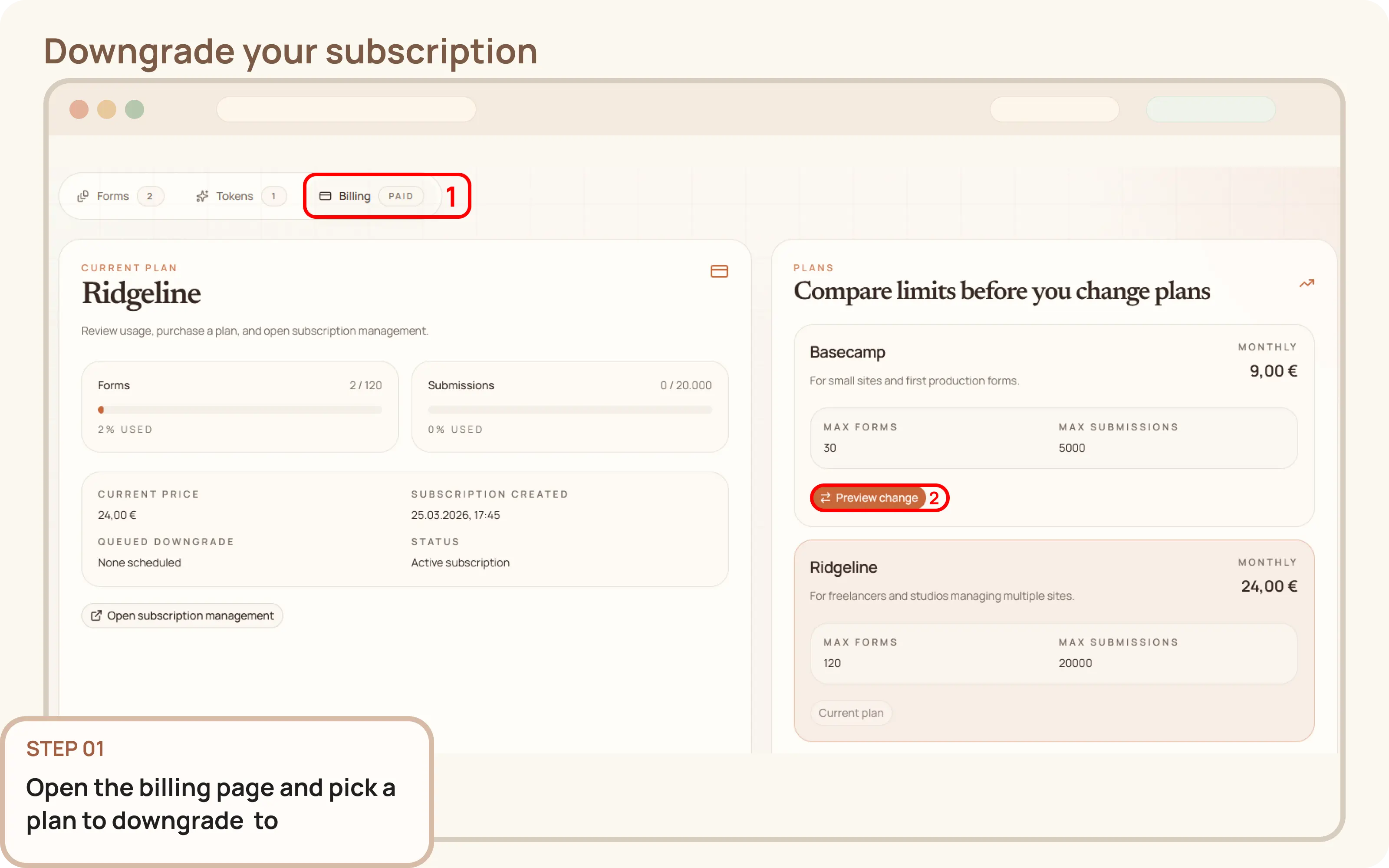
- Go to
Workspace > Billing - In the
Planssection, select a lower tier plan

Documentation
Guides and public API reference
Documentation
This guide explains how to move from one paid Mountly plan to a lower paid plan when your workspace no longer needs the current subscription capacity.
Workspace > BillingPlans section, select a lower tier planScroll to the bottom of the page to review the billing preview. When everything looks correct, click Confirm to schedule the downgrade.
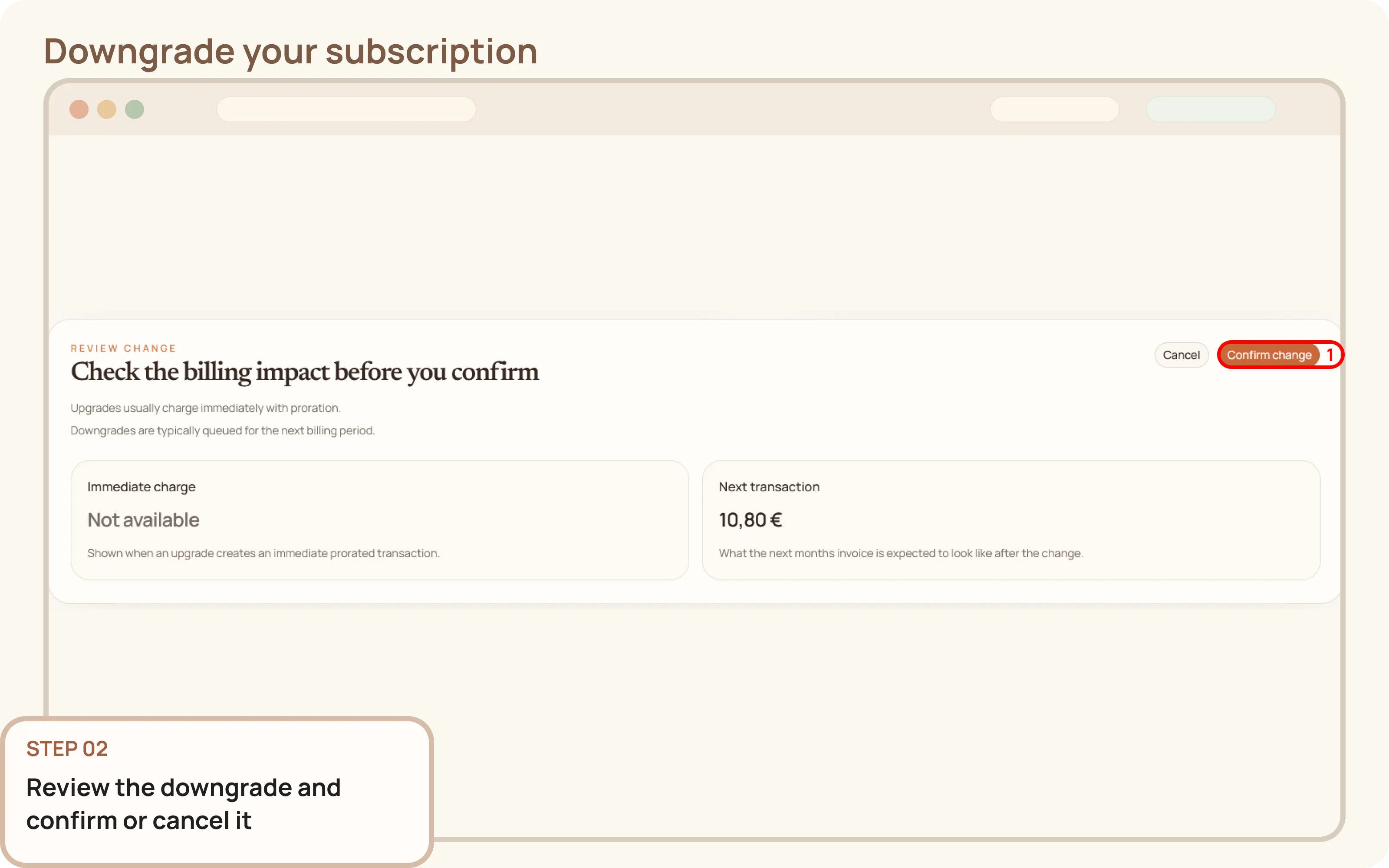
After the change completes, refresh the page. Confirm the workspace now shows the selected lower plan as a queued downgrade.