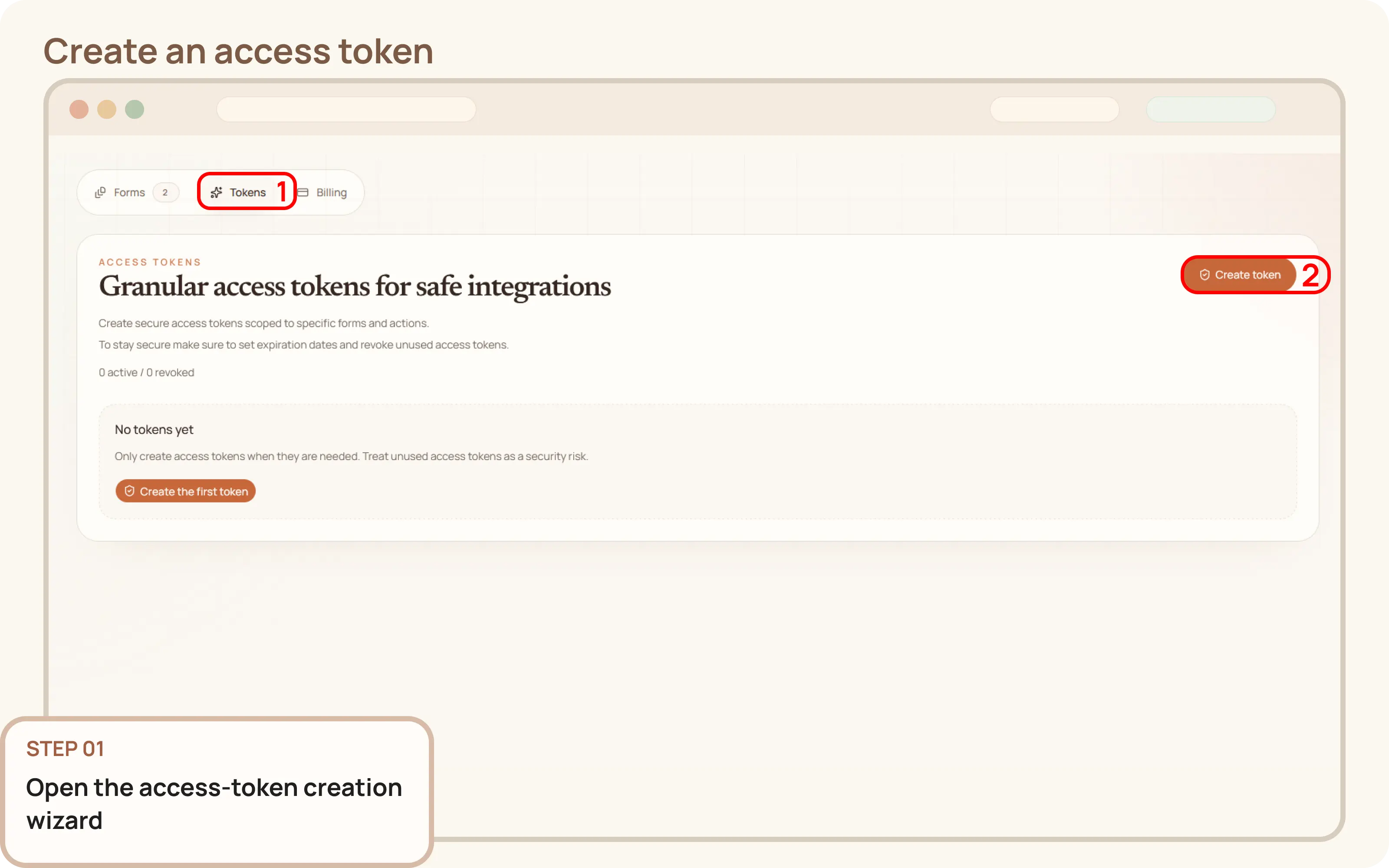
Open the access-token creation wizard
- Go to
Workspace > Tokens. - Click
Create token.

Documentation
Guides and public API reference
Documentation
This guide explains how to create an access token from the Mountly dashboard. Access tokens are required for integrations, internal tools, or backend workflows that need API access to your forms or entries.
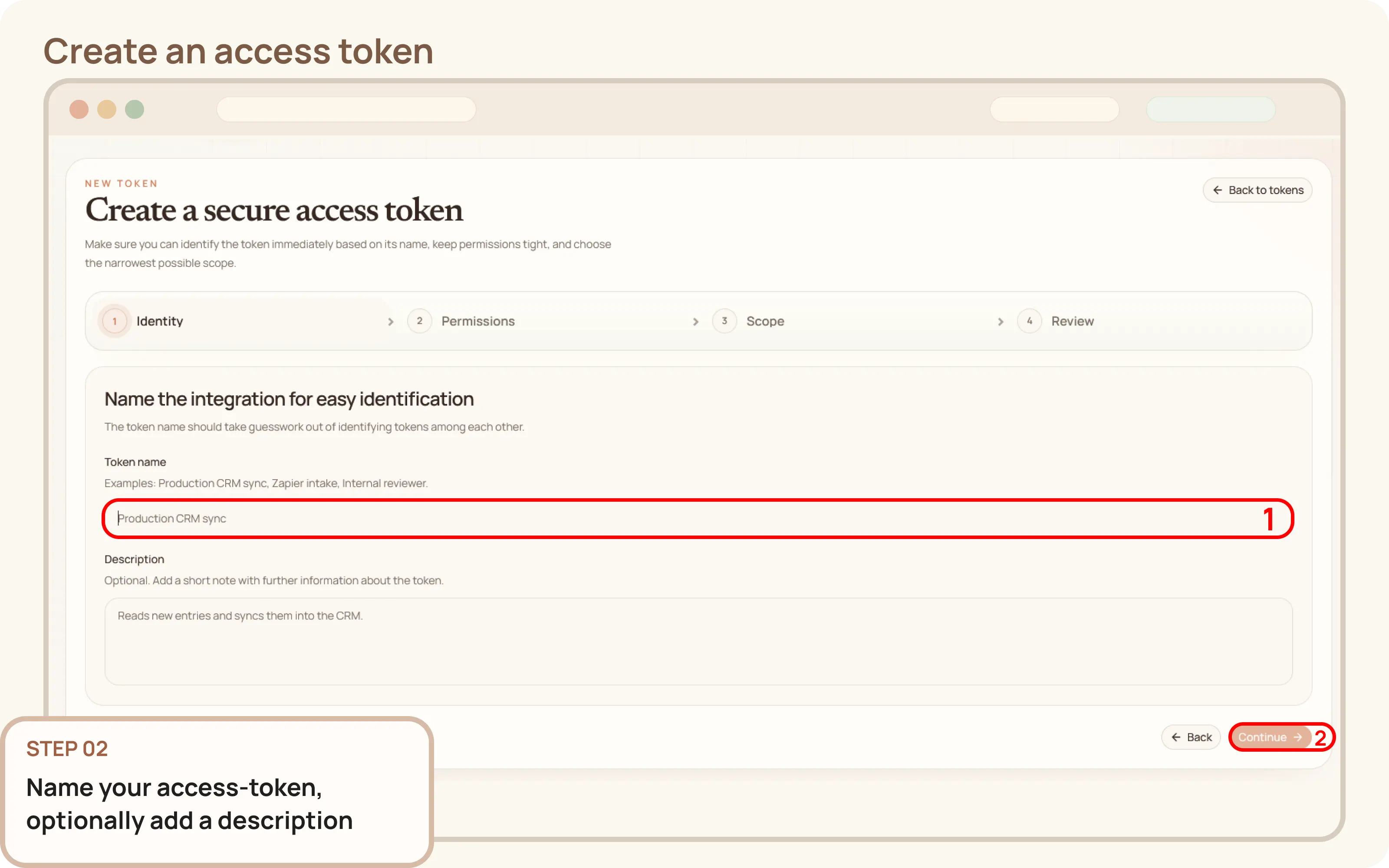
Workspace > Tokens.Create token.Provide the basics for your new access-token:
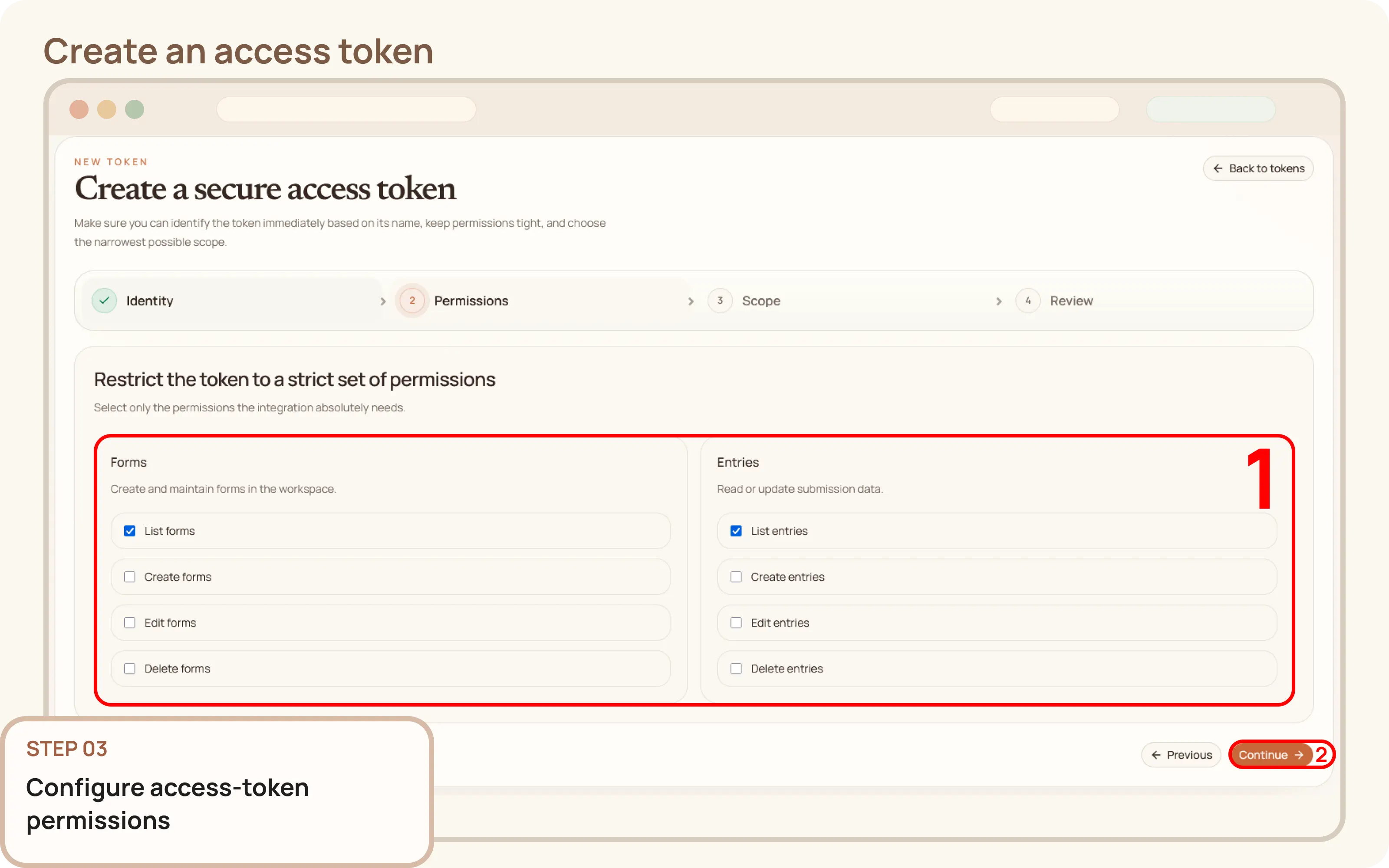
Select only the permissions that the integration absolutely needs to function.
Configure the following scope settings for the access-token:
Service token for workspace-wide automations, or Scoped form token to limit access to selected forms.Scoped form token, choose the specific forms this token can access.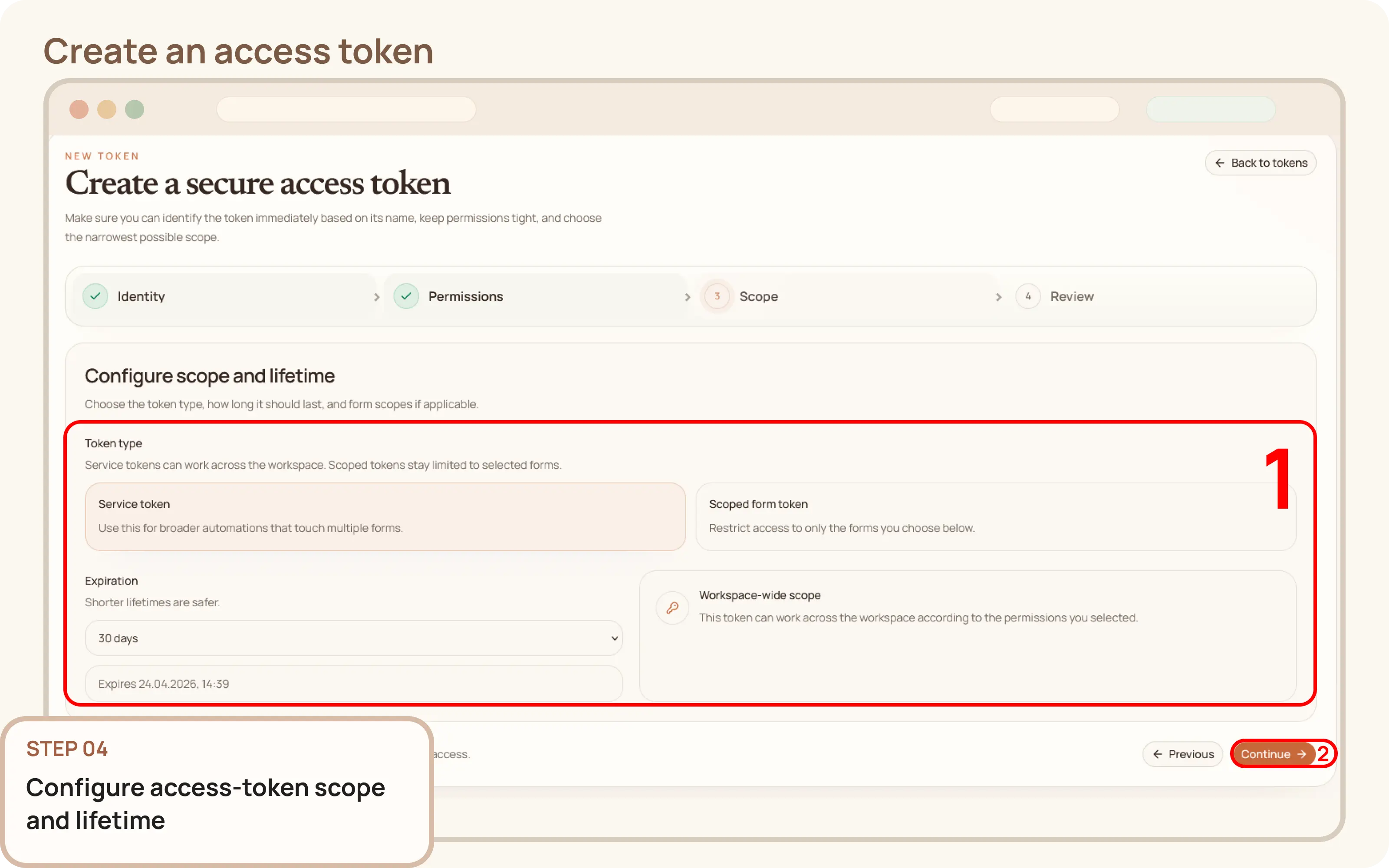
Carefully check the token's name, permissions, expiration, and scope. If everything is correct, click Create token.
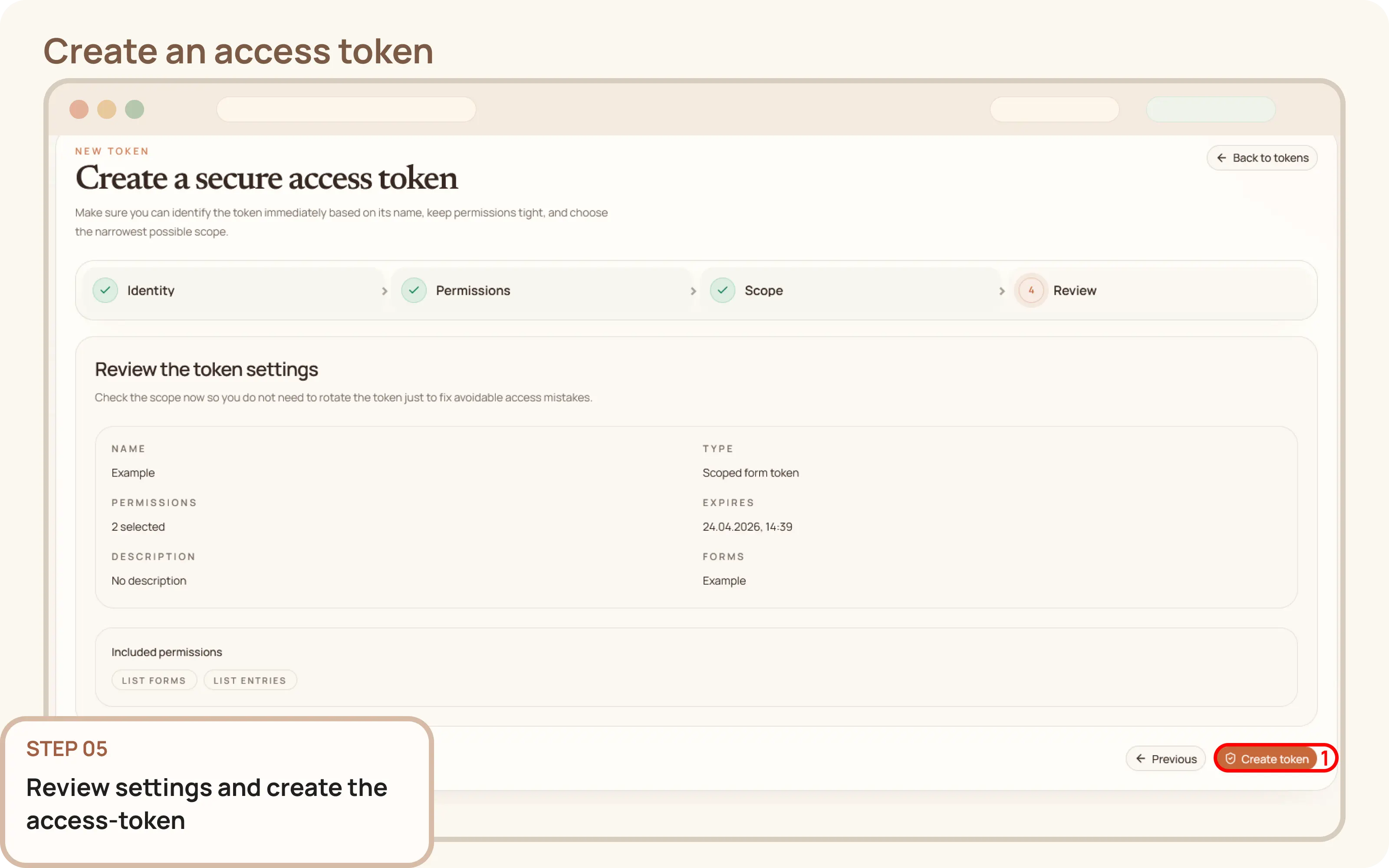
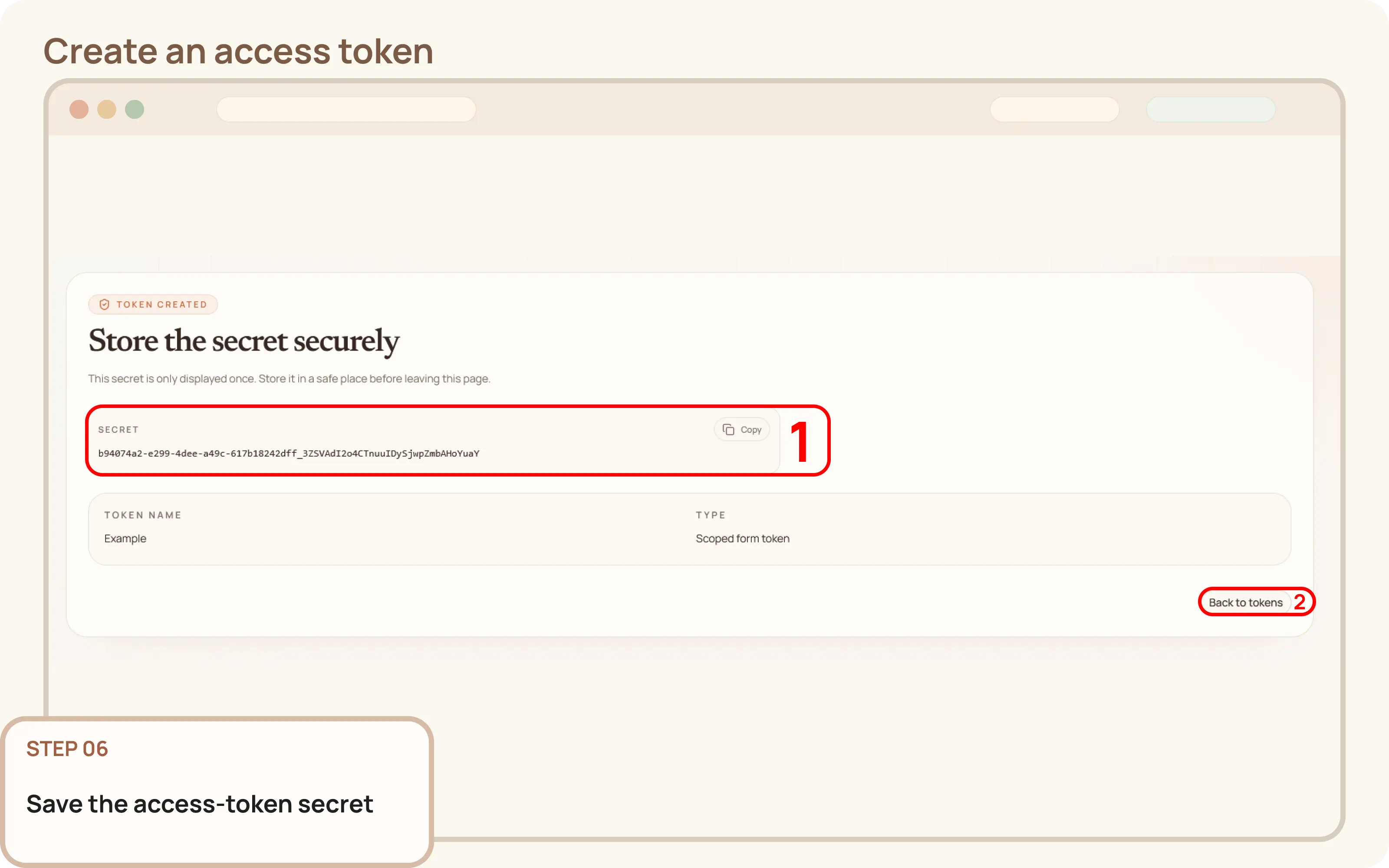
After creation, the token's secret will be displayed. Copy it immediately and store it in a secure location, such as a password manager, secret vault, or environment configuration.