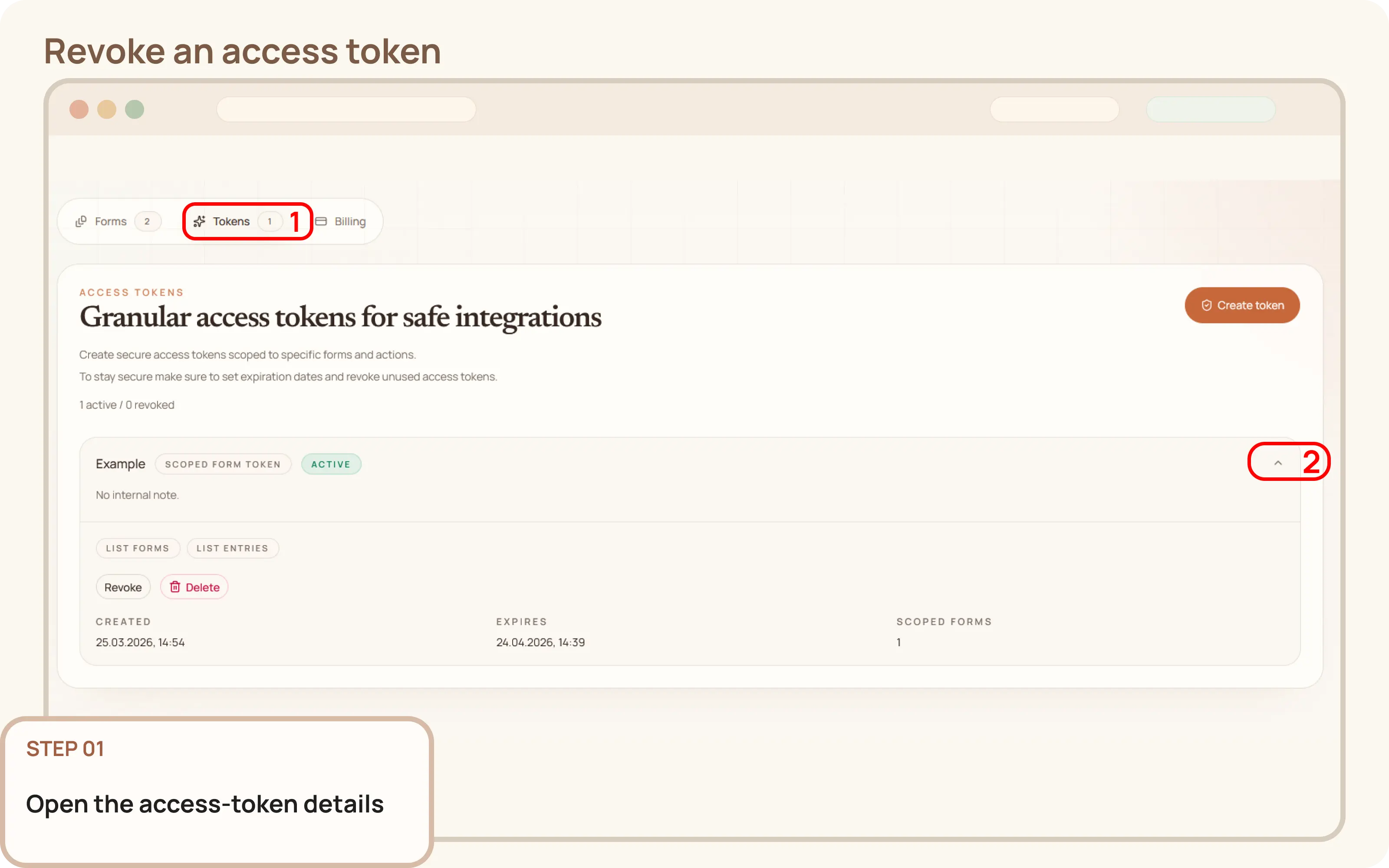
Open the access-token details
- Go to
Workspace > Tokens. - Click on the token you want to delete to expand its details.

Documentation
Guides and public API reference
Documentation
This guide explains how to revoke an access token from the Mountly dashboard.
Workspace > Tokens.Revoke in the expanded token panel.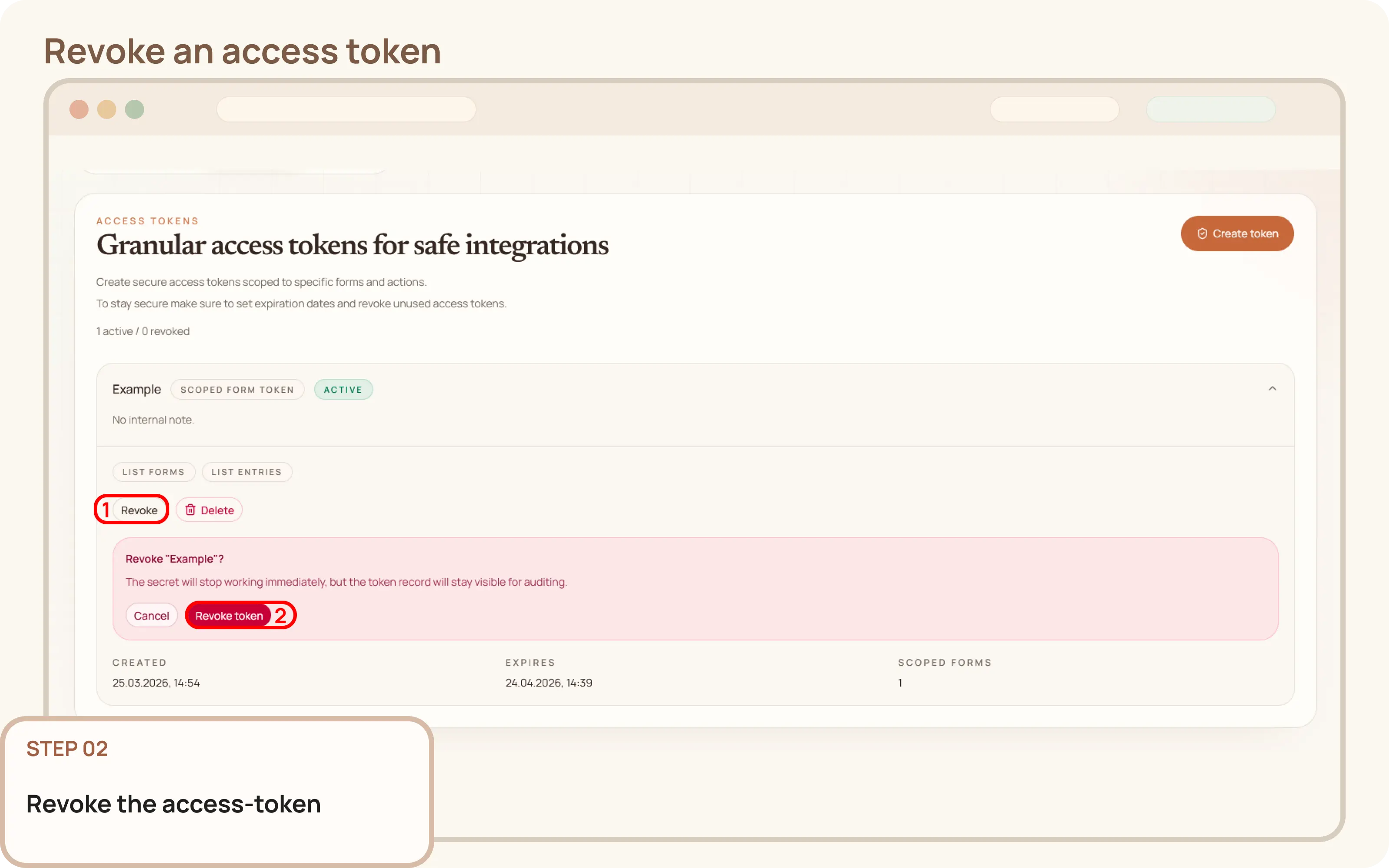
After revocation, the token will be marked as Revoked in the tokens list.
The token record stays in the workspace so you can keep the audit trail and lifecycle history.